
Requests list
Each row shows details of the application, such as the applicant’s name, document type, issuing country and status. Choose which columns to show with the gear icon. The status is Approved, Needs review or Declined, based on your verification rules. The toolbar lets you search, export, refresh and filter the list.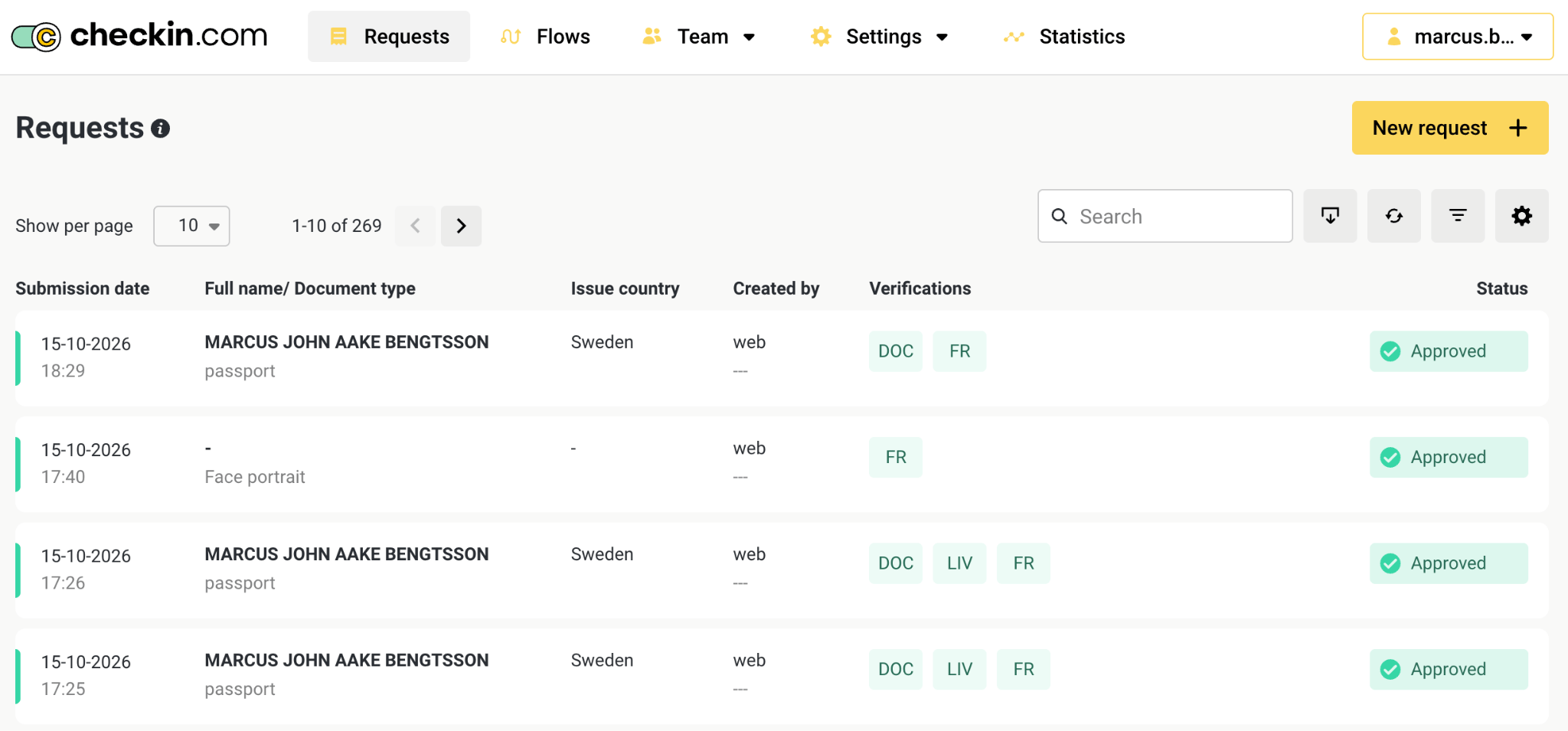
The Requests list
Application details
Click a request to see the full result.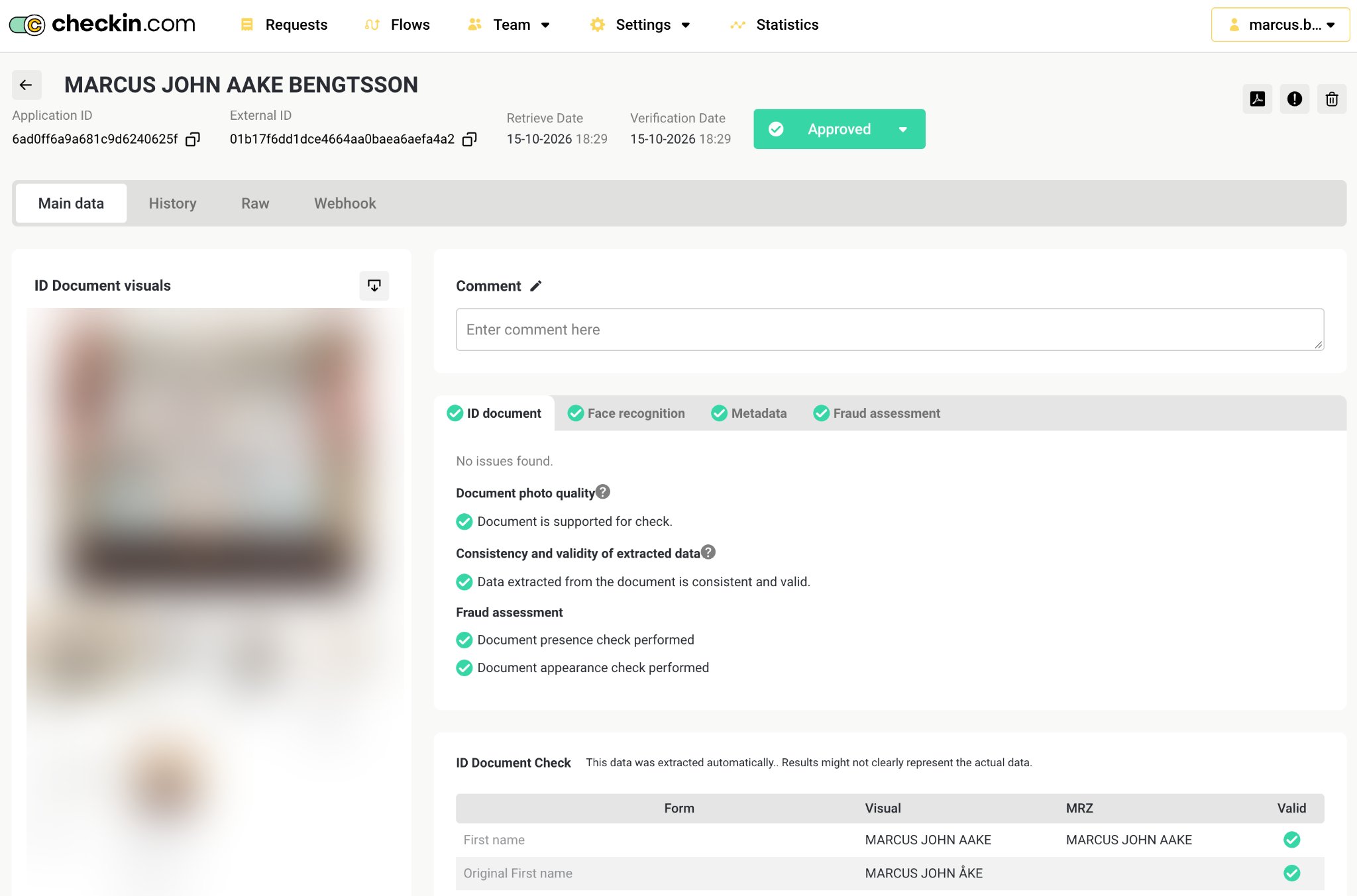
A single request: IDs, status, check results and document data
When you change the status, a webhook is sent if webhooks are configured and the
application.changed event is enabled. See Webhooks.