
When to use it
- You already hold the applicant’s details, for example from your registration form, and need to confirm they belong to the document holder
- You collect details in the Web SDK form and want them checked against the document
How it works
- You send the applicant’s details: as
profilein the SDKs, asprofilein a verification link, or asapplication.fieldsin the API. See Applicant data. - Document Check extracts the data from the document.
- Each detail you sent is compared with the matching extracted field.
- Every mismatch becomes a finding. Your verification rules decide whether it sends the application to review or declines it.
- First name, last name, and swapped first and last names
- Date of birth
- Issue country, document type, date of issue, date of expiry
- Nationality and nationality code
- Gender
- Document number and personal number
- Place of birth and place of issue
- Other fields you send, by category name
Data collected in the Web SDK form
You set up the form per flow in Flows → [flow name] → Summary → Profile data: turn on Form fields, choose the Fields on the form, and optionally pre-fill the form with data from the document. The same data is used for Watchlists screening. With the form turned off, no cross-check with personal details is performed unless you send them. See Flows.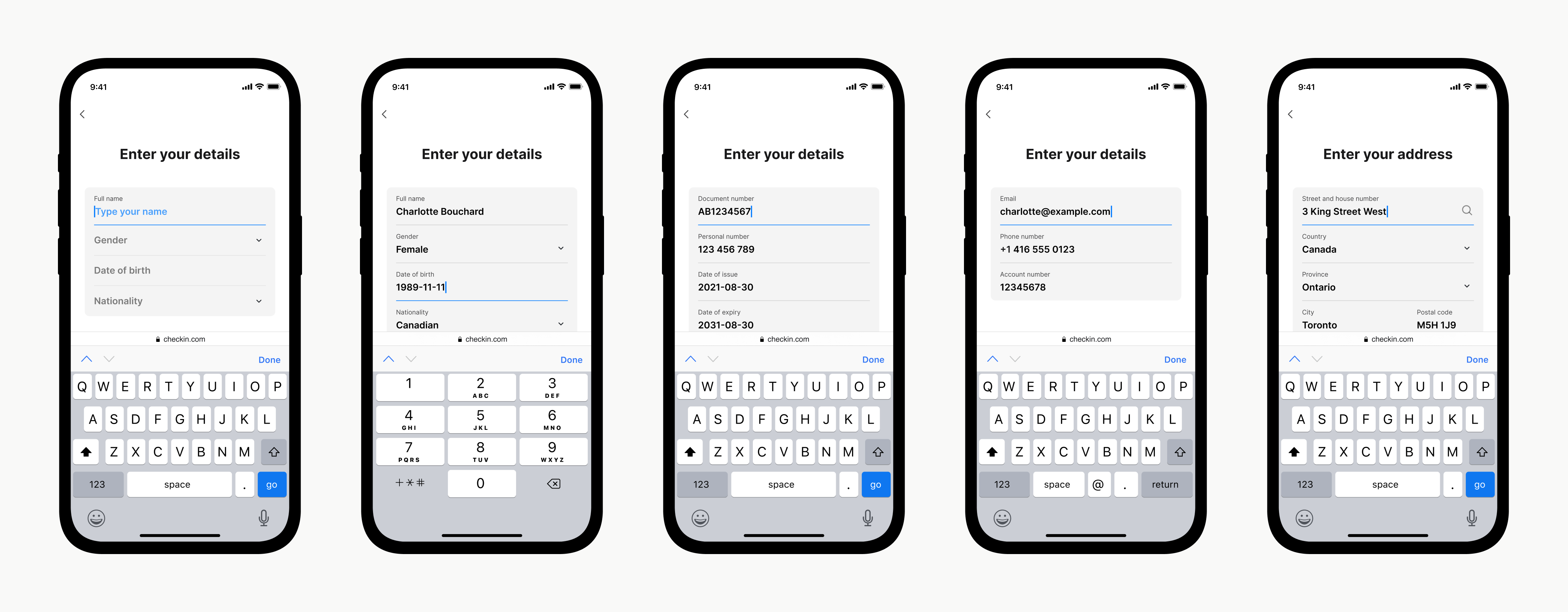
The profile data form in the Web SDK
application.fields, the same way as details you send through the API, and are compared in the same way.
Example
Configuration
In the Backoffice, under Settings → Verification rules → Profile Data Check (or the flow’s own verification rules), you set:- name comparison, including fuzzy matching with an adjustable match level, comparison by word for multi-part names, and nickname matching (for example Bob for Robert)
- what happens when first and last names are swapped
- what happens when other profile fields don’t match the document
- country and city of residence compared with the IP location, and VPN detection, under Location comparison and VPN check
Request
Result
Example
The personal number entered in the form was not found on the document, so the application was sent to review. The last name matched although the document prints it with a prefix.overallResult.concerns: one summary concern for the service (PC020) and one per finding.
Concerns
All codes are in Considers lists.